
![]() |
|

| Radlink LaserPro 16 High-Performance Laser Film Digitizer/Scanner. |
![]() |
The Radlink LaserPro 16™ is a high-performance, small footprint laser film digitizer designed for primary diagnostic applications that demand high accuracy digital image reproduction. The digitizer accepts film up to 14" x 52" (355cm x 1320cm). The LaserPro 16™ offers all of the inherent advantages of laser film digitizers with excellent optical density and precise spatial resolution. The LaserPro 16™ digitizer offers high-contrast sensitivity over a wide optical density range. This provides accurate capture of subtle image detail even in dark or overexposed film images. Please Note: Mammography films scanned with this unit may be stored ONLY. This unit is not approved for Mammography diagnostic purposes. Consistent Image Quality Utilizing Sealed Optic™ laser technology, the Laser Pro 16™ is designed to provide consistently high image quality without the downtime and expense of periodic cleanings and adjustments associated with conventional laser digitizers, for the life of the scanner. The LaserPro 16™ delivers the performance, image quality and reliability expected from a high-end laser digitizer, at an affordable price made possible by our innovative Sealed Optic™ scan technology. Resolution and Geometry Film images are converted to high-resolution digital images of up to 3072 x 3850 pixels over a 14" x 17" film. 16-Bit digitization provides precise grayscale accuracy throughout an optical density range of 0.0 to 4.0. Only a laser digitizer can deliver this high degree of precision. The LaserPro 16™ is the best choice for high-reslution PACS and Teleradiology applications where diagnostic quality is imperative. Only the LaserPro 16's "sealed optic" technology provides "point source illumination" at each discrete pixel site. Image geometry is perfect to within +/- one pixel from film corner-to-corner. Point source illumination also maximizes low contrast sensitivity ensuring accurate capture of subtle image features characteristic of chest films. Film Auto Loader Radlink's 8-film auto loader maximizes staff productivity. The trouble free bin-load design virtually eliminates film |
| jams and missfeeds and the hinged loading trays provide quick-and-easy operation. System Specifications Laser Type Solid State 658 nm Sealed Fiber-Optic™ path (no optical cleaning or adjustment required) Optical Density Range 0.0 to 4.0 Geometry Perfect Geometry to +/- one pixel, X and Y axis over the entire film Resolution Up to 3072 pixels per scan line (166-micron pixels) 16-bit grayscale Interface Interface to Host - USB DICOM - Storage SC Scan Specifications Assuming a 14" x 17" film 1K Scan Mode: 1,000 pixles across the top (14") is 71dpi and will result in a 14x17 film being scanned to a 1.3mp image and will take 13 seconds to complete!* The LaserPro 16 is a true 16 bit grayscale scanner. | Film Size No less than 8" x 10" (Will NOT scan Dental films!) But up to 14" x 52" (355 cm x 1320cm) OS Supported Windows XP, 2000, 2003 Physical Specifications Weight - 28 lbs. Dimensions - 17.75"W x 12"H x 11.25"D Power (Worldwide) 100-240 VAC, 47 to 63 Hz, 3.2 Amps Max. Table Top Operation. Integration: Plug and Play Automated Installation Configurations Compliant with: DICOM, USB and Windows Standards New Sealed Optic™ path No optical laser calibration or adjustments Ready for mobile & remote applications Half the components of other lasers A Total Solution Bundled Radlink Image Acquire™ acquisition and distribution software for a turn-key solution Fully DICOM compliant, standard input device into your PACS Film Auto Loader Integrated design Ergonomic design 12-Bin flip hinge |
| Radlink Image Acquire-Film Acquisition Software. |
![]() |
Image Acquire Software is a user friendly and intuitive image acquisition package that quickly and easily guides the clinician through a simple process of digitizing films for transmission to the PACS system. The Radlink Image Acquire software application also provides a comprehensive suite of DICOM image transmission and image management features. Comprehensive Image Acquisition and Distribution Platform Fast and simple DICOM Image Acquisition for the Radlink LaserPro 16™ The Image Acquire application software combined with the LaserPro 16 digitizer enables the acquisition of filmed images from your medical enterprise and provides distribution of laser quality images virtually anywhere. Radlink Image Acquire is user friendly and intuitive – a workflow-driven system that quickly and easily guides your clinician through a three-step process of acquiring, selecting and sending digitized films to any desired destination. In addition to controlling the LaserPro 16 Film Digitizer, the Image Acquire software application also provides a comprehensive suite of DICOM image transmission and image management features. Optional Features Include: Modality Worklist Modality Worklist provides direct access to patient information contained in your HIS/RIS database. By using this information to automatically populate the fields in Image Acquire, operator input errors are virtually eliminated and |
| productivity is greatly enhanced. Your clinician can simply access your PACS database and automatically insert the
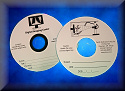
patient information, scan and send. Image Segment Doing comparative analysis between digitally acquired and filmed CT, MR, and US studies is finally a reality. With the optional Image Segment application your clinicians can automatically segment a digitized piece of film into its individual images. Images can even be separated by series. The result is true modality emulation. Radiologists can now view in “Stack Mode” by series, just like direct digital slices. Image Annotation Users can annotate images with arrows, text, lines, angles, and measurements. On-screen calipers provide clinicians with a size reference scale, regardless of zoom level. DICOM Print Output digitized film images on your DICOM Laser or postscript printer. CD Burning Digitized film images and multi-modality studies can be burned to CD. Since the Radlink CD Burning application uses DICOM Part Ten format, you have confidence that the CD can be easily loaded onto virtually any PACS, Teleradiology or DICOM image viewing system. System Specifications | ![]() |
| Minimum System Requirements - Pentium 2GHz or equivalent; USB Port; 512 MB memory; 40GB hard disk (80GB hard disk
recommended); 1024 x 768 Display at 16-bit color; Windows XP Operating System Integration and Configuration - Installation is Plug and Play; User installable system Automated Wizard - User-friendly automated installation; Host configuration utility with multiple host designation routing features enables image broadcast communication Compliance and Compatibility - Windows and USB compliant; Full DICOM compliance enables simple integration into your PACS or Teleradiological system; Radlink ensures seamless acquisition, distribution and viewing of images with any DICOM compliant viewer Communications - Image Acquire configurable to any LAN or IP address; Image broadcast supports multiple routing scenarios; Optional Radlink Image Serve Web server provides HIPAA compliant Store and Forward image distribution capabilities. Image Spooler - The embedded image spooler speeds workflow with background management of the distribution process and logs status of image transmission. Teleradiology - The Radlink Image Acquire software and LaserPro 16 digitizer provide a DICOM compliant standalone peer-to-peer Teleradiology solution. Compression - Supports: DICOM lossless compression DICOM lossy compression JPEG 2000 Wavelet compression JPEG 2000 lossless compression |
![]() |
|